

 Nederlands
 English
Competence-based learning with the NT2 Portfolio
How did the idea for the NT2 Portfolio come about?
A few years ago, I spoke with many teachers who were working on portfolios using all kinds of different tools — and even on paper. The portfolio, of course, is a great way to show yourself and the progress you’re making. But the ideal approach had not yet been found. Teachers said they wanted to have both the teaching method and the portfolio in one place. They wanted to be able to easily send their own lists of assignments to an entire class at once. They wanted to reuse what they had developed. Students, on the other hand, wanted to use their phones to send in videos and audio files — and they wanted everything to be as simple as possible. We gathered all these wishes and then developed the NT2 Portfolio — for and together with teachers. It’s a flexible system, which also allows us to incorporate new ideas into the platform as they arise.
Students can not only add text or photos, but also audio and video.
What makes this portfolio different from other digital learning tools?
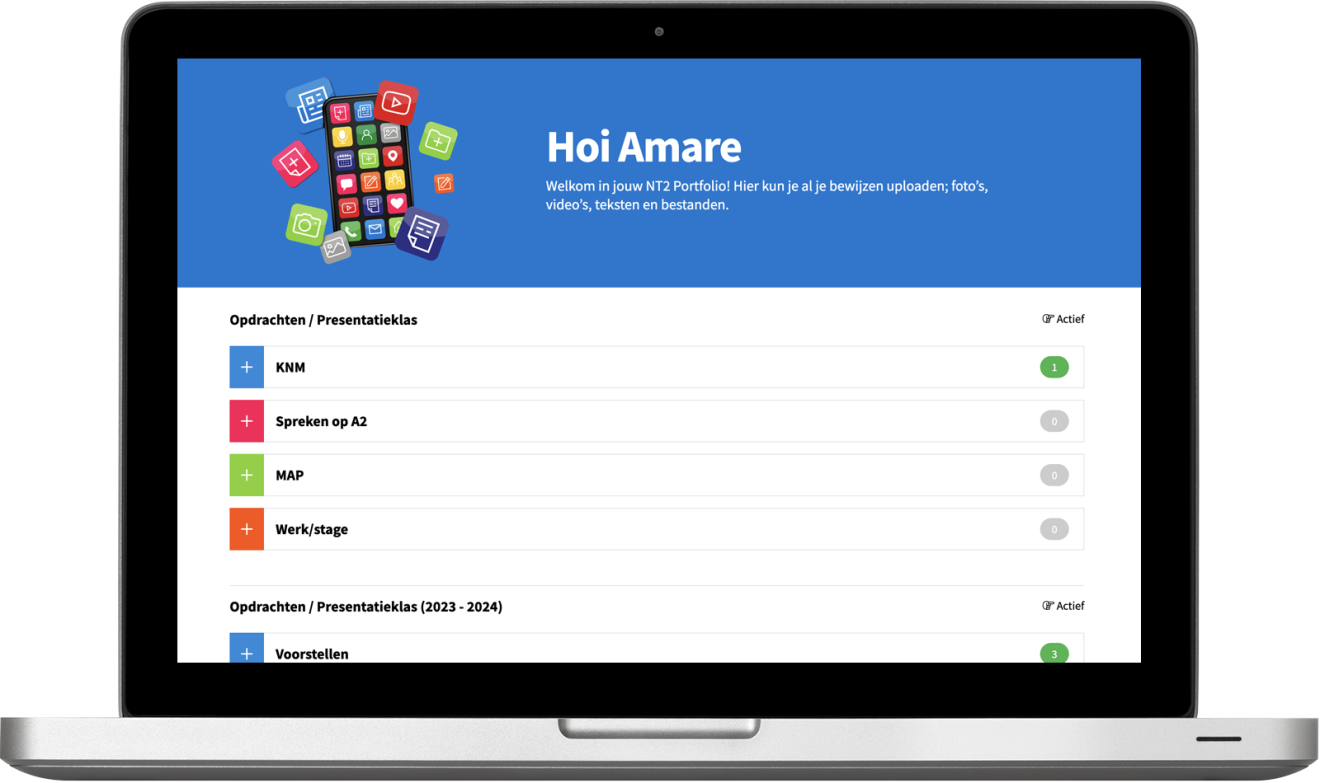
For teachers, it’s a flexible tool: you can set up your own thematic folders and assignments that suit your class and learning goals. You can use videos, photos, PDFs, and even your own voice. Because you can communicate with the whole class at once and reuse or share folders, it also saves a lot of time. The NT2 Portfolio is truly the digital successor to the paper portfolio, but much richer. Students can not only add texts or photos but also audio and video. They also remain the owners of their materials — even after their license expires, they still have access, even on their smartphones.
For which teachers and student groups is the NT2 Portfolio most suitable?
The portfolio is very well suited for teachers who want to work competence-oriented. It fits perfectly with the Z-route and other programs where demonstrating skills and progress is central. But it also offers valuable insights for case managers and other supervisors into a student’s development.
Beyond the traditional portfolio audience, there are countless other applications. It can serve as a digital bulletin board where you share things within your class. For example, if you work a lot with extracurricular assignments and want to see what students did, you can ask them to record it with their smartphones and upload it to the portfolio.
How do students experience working with their own portfolio?
Students are enthusiastic about filling their own digital portfolio. It’s easy to use, they can showcase what they’re proud of, and it looks appealing. The simple use of the smartphone, in particular, is highly appreciated.
How does the portfolio support teachers in their daily teaching practice?
Teachers get an instant overview of all uploaded materials per class and per student. You can see exactly what’s new, what’s already been reviewed, and what’s still missing. Teachers can then give feedback directly — in text, with formatting, by voice, or even using emojis. This makes giving feedback very accessible and engaging. Feedback can also be easily discussed in class, making the guidance process much more efficient — and more enjoyable.
It was a real milestone when I heard from those same hesitant teachers that students were working enthusiastically and with great pleasure on their own portfolios.
What role does giving and receiving feedback play in the NT2 Portfolio?
Feedback is a core function of the NT2 Portfolio. Students submit their work, and teachers respond directly. You can underline, bold, strike through, or even highlight text in color. Students receive notifications when they get new feedback, creating an active dialogue between teacher and student. This encourages reflection and gives students a clear picture of their progress.
Can you give examples of assignments teachers can add through the portfolio?
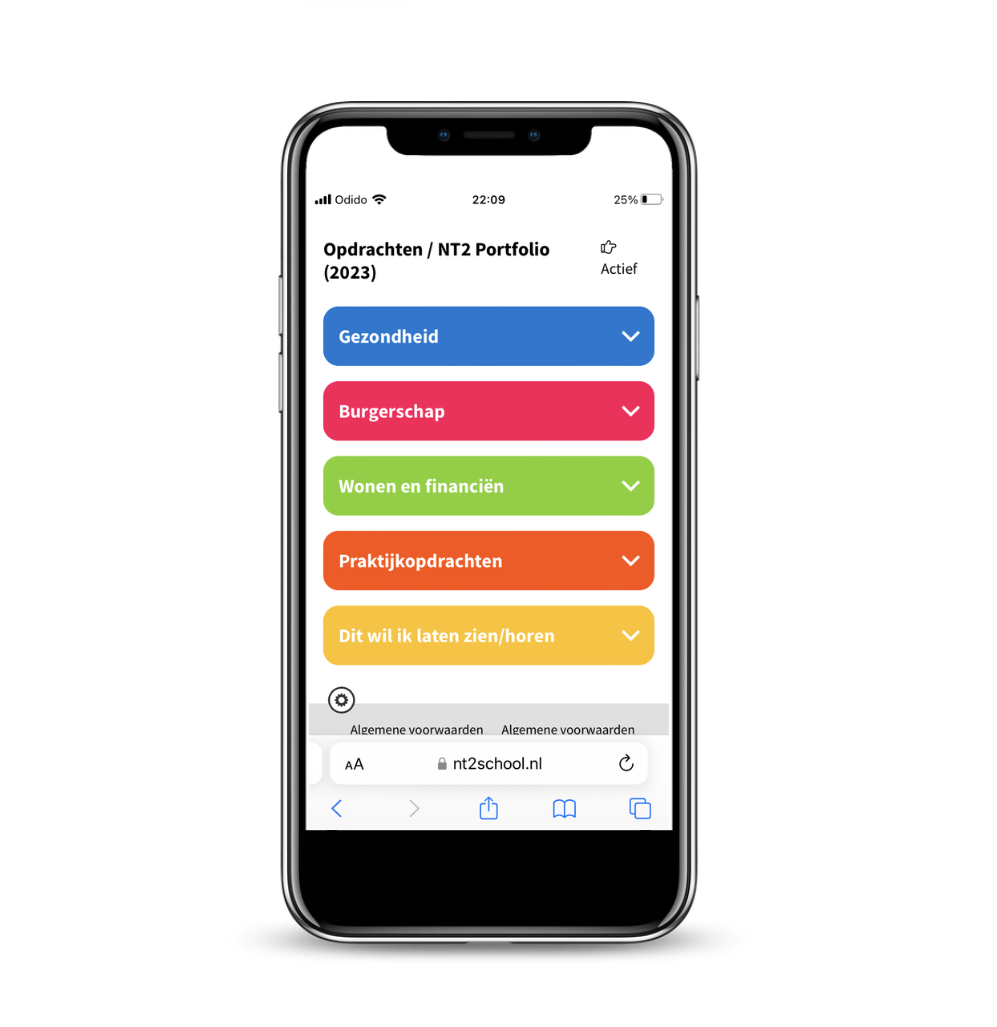
There are many possibilities. Think of an audio assignment where a student introduces themselves, or a video task where someone gives a short presentation. Thematic folders might focus on topics like “Introducing Yourself,” “Education,” or “Health.” Within these folders, the teacher can place assignments that align with the themes and competencies currently being addressed.
Which user experiences have stood out to you the most so far?
We developed the NT2 Portfolio very deliberately with teachers, for teachers. I often presented it during workshops and demonstrations — it needed to solve real problems! One thing I heard frequently was that teachers were uncertain about their students’ digital skills. But since we know these students quite well, we also know that they use their smartphones a lot. So, we worked very hard to make logging into NT2 School easy and one-time only, and to make the portfolio interface simple and not language-dependent.
The biggest advantage of NT2 Portfolio is it's focus on language education and competency-based work.
What are the future plans for the NT2 Portfolio? Are there any new features or expansions in development?
The NT2 Portfolio is constantly being improved. A recent update added several requested features — such as easily embedding videos from YouTube and adding links within assignments.
We are now exploring whether we can make the NT2 Portfolio suitable for larger, more theoretical assignments, aimed at students with a more academic background.
Can the portfolio be easily combined with other teaching materials?
Absolutely. The portfolio is designed as a supplement to regular teaching methods. You can fill it in entirely as you wish. The nice thing is that the student only needs to log into NT2 School once — after that, everything they need is in one workspace. There’s no need to switch between platforms.
What are the advantages of the NT2 Portfolio compared to other ways of collecting evidence, such as a paper portfolio or Padlet?
The biggest advantage is that the NT2 Portfolio is specifically designed for language education and competency-based learning. It’s digital, well-organized, and always accessible — even on mobile devices. Students can use multimedia: photos, videos, audio, and text. For teachers, there’s a clear structure with thematic folders and assignments, and the feedback function makes the process interactive. Compared to a paper portfolio or a general tool like Padlet, this is much more practical. You can work within classes, themes, and assignments.
Read more about

NT2 Portfolio
Do you want to get started with the NT2 Portfolio?
Boom's educational advisors will help you get started and explore how you can use the NT2 Portfolio with your students. Feel free to contact us at nt2sales@boom.nl.